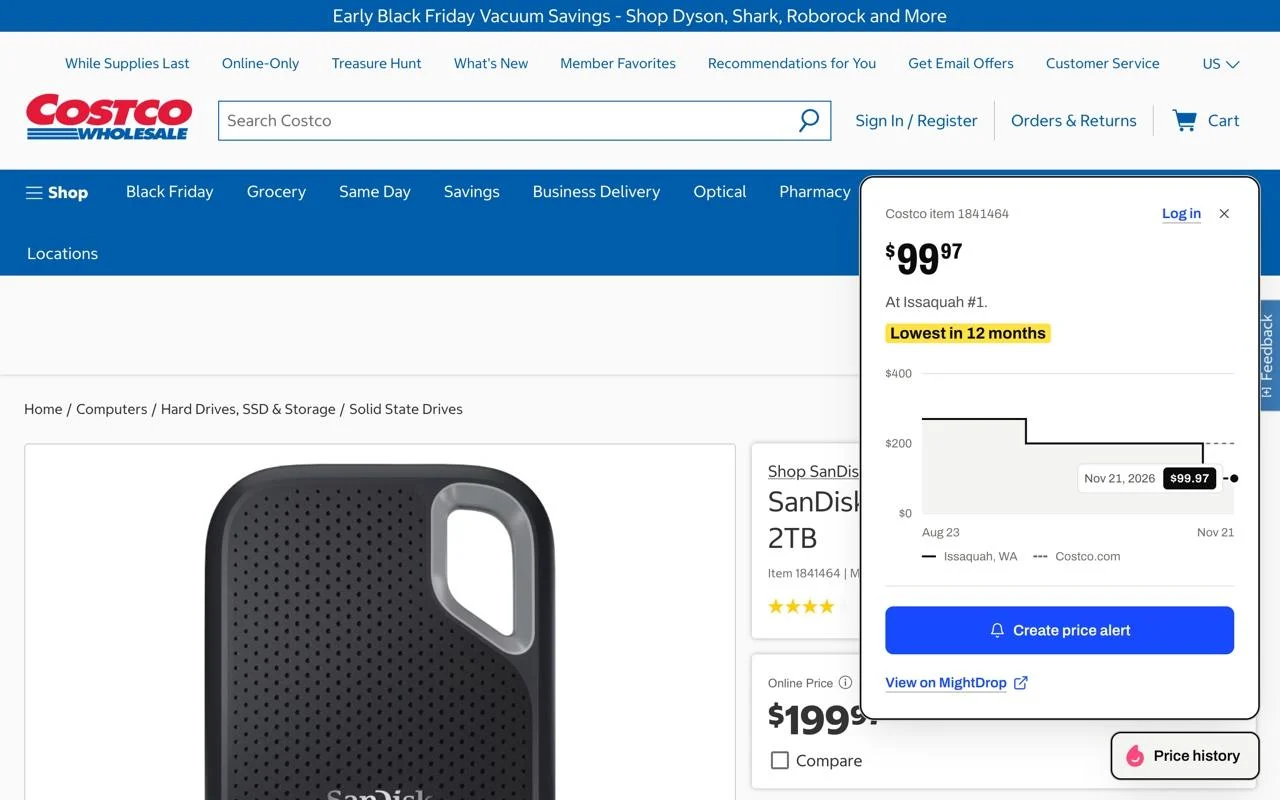
Costco price history on the product page.
Press Price history on a Costco item to see what it cost at your warehouse and on Costco.com. Set an alert from the same panel.
The MightDrop browser extension is a free extension for Chrome, Edge, Brave, Firefox and Safari. On a costco.com product page it adds a Price history button that shows the item's price at your Costco warehouse and on Costco.com over the last 90 days, whether the price is the lowest in 12 months, and a way to create a price alert. It can also save your Costco receipts to MightDrop so you can see when something you bought gets cheaper. MightDrop is not affiliated with Costco.
- Free to install
- Chrome, Edge, Brave, Firefox and Safari
Add it to your browser.
Brave and Opera install from the Chrome Web Store.
-
Add to Chrome
Chrome
Chrome Web Store
-
Coming soon
Edge
Microsoft Edge Add-ons
-
Coming soon
Firefox
Firefox Add-ons, desktop and Android
-
Coming soon
Safari on Mac
Mac App Store
-
Install userscript
Tampermonkey
Userscript for any desktop browser
-
Get the app
Safari on iPhone
Included in the MightDrop app
Price alerts
Set the alert while you're looking at it.
Create price alert opens the same flow as MightDrop, in the panel. Pick a target price and where to watch, and you'll hear when it drops.
- Your warehouse and Costco.com.
- Alerts follow the warehouses you picked, plus Costco.com if you want it.
- No account to start.
- Your email is enough. Sign in later to keep everything in one place.
- Safari opens a tab.
- Everywhere else the flow stays in the panel.
After you buy
Bring your receipts along.
Connect Costco from the extension and your warehouse receipts and Costco.com orders import on their own. When something you bought gets cheaper, you'll see by how much.
- Sign in on Costco's own page.
- Your password stays with Costco.
- Or save one at a time.
- Open a receipt on costco.com and press Save to MightDrop.
- Off whenever you want.
- Turn receipt saving off from the toolbar icon.